Dynamic QR Codes: The Complete Guide for Marketers
A dynamic QR code can be edited after printing and tells you exactly how many people scanned it. Here is how they work, when to use static codes instead, and the printing rules that prevent failed scans.
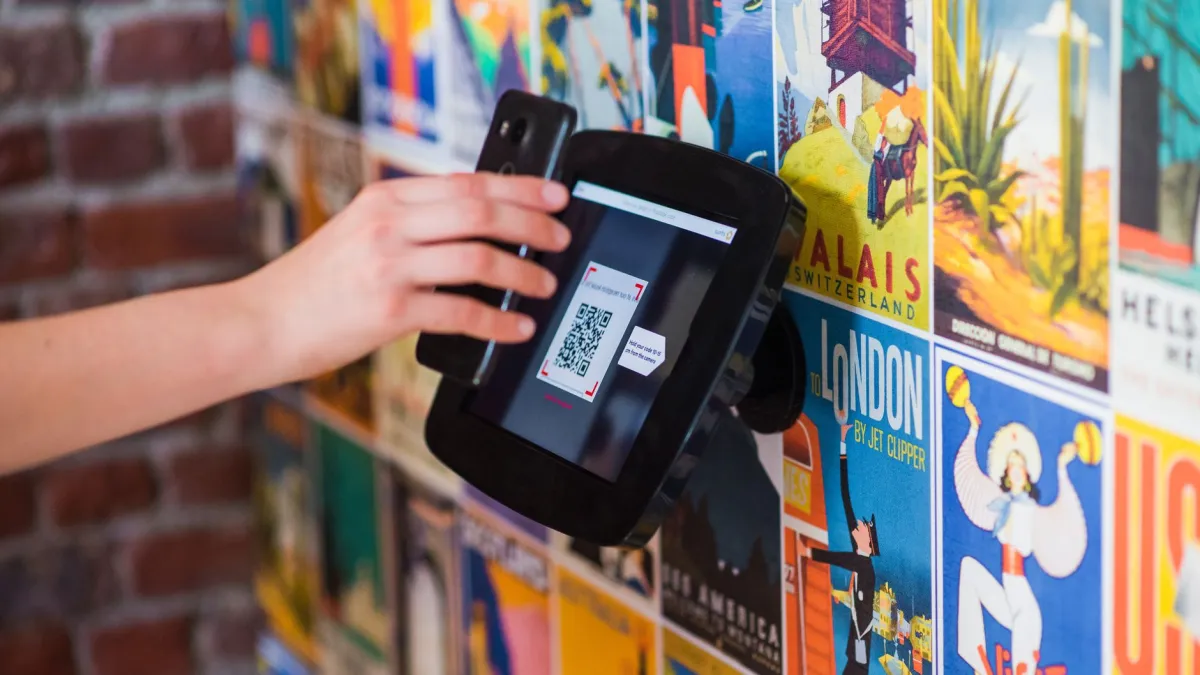
A dynamic QR code is a QR code that stores a short link instead of the final destination. When someone scans it, the short link redirects them to your page — which means you can count every scan and change the destination at any time without reprinting the code. A static QR code, by contrast, stores the data itself: it works forever, offline, but can never be edited or tracked.
Key takeaways: use dynamic codes for marketing and anything you might change · use static codes for Wi-Fi, contacts and offline data · keep strong contrast and a quiet zone · print at least 2 × 2 cm · test on iPhone and Android before printing.
Static vs dynamic QR codes
| Static | Dynamic | |
|---|---|---|
| What it stores | The full data (URL, Wi-Fi details, vCard…) | A short link such as fvj.io/menu24 |
| Edit after printing | No | Yes |
| Scan analytics | No | Yes — time, country, device |
| Pattern size | Grows with the data | Always compact |
| Works without the internet | Yes (for non-URL data) | Needs the redirect service |
| Best for | Wi-Fi, business cards, plain text | Menus, packaging, posters, ads, events |
Why marketers prefer dynamic codes
- Fix mistakes after printing. A typo in the URL or a moved landing page no longer means pulping 5,000 flyers.
- Measure offline campaigns. Scans by day and location show which poster, store or event performs.
- Reuse print. Point the same table-tent code to a new seasonal menu each quarter.
- Smaller patterns scan faster. A short link produces a less dense code than a long UTM-tagged URL.
How to create a dynamic QR code
- Prepare the destination URL. For analytics, add UTM parameters with the UTM Builder — for example
utm_source=flyer&utm_medium=qr&utm_campaign=store_opening. - Open the QR Code Generator, paste the URL and choose your colours. Logged-in users can also pick dot and corner styles, add a centre logo and a caption such as "Scan for the menu".
- Download an SVG for print (it stays sharp at any size) or a PNG for screens.
- Track scans in your dashboard and edit the destination whenever you need to.
Design and printing rules
- Contrast: dark code on a light background. Avoid light-on-dark and low-contrast brand colours like yellow on white.
- Quiet zone: keep a clear margin of at least four modules around the code.
- Size: at least 2 × 2 cm for close range. For distance, use the 10:1 rule — a code scanned from 2 m should be about 20 cm wide.
- Logos: keep a centre logo under about 20–25 % of the code and use high error correction (H), which lets up to 30 % of the code be covered.
- Call to action: tell people what they get. "Scan to see today's specials" earns far more scans than a bare square.
- Test at the final printed size with several phones, in the lighting where it will be used.
When static codes are better
Wi-Fi codes, contact cards (vCard), phone numbers, SMS and plain text work best as static codes: they need no internet connection and nothing to maintain. URLMode's QR studio creates all of these for logged-in users alongside tracked URL codes.
Creative ideas
- Restaurant menus and table ordering.
- Product packaging linking to setup videos or recipes.
- Event badges that share a contact card.
- Real-estate signs linking to virtual tours.
- Business cards with a vCard or a short portfolio link.
- Posters and billboards — with a different code per location to compare performance.
Security tip
"Quishing" (QR phishing) uses codes that lead to fake login pages. As a publisher, use a recognisable short domain and HTTPS. As a scanner, check the domain your camera shows before opening it — or paste a suspicious link into the URL Expander.
Frequently asked questions
Do dynamic QR codes expire?
Not on URLMode. A dynamic code works as long as its short link is active; links are only disabled if they break the acceptable-use policy.
Can I change a QR code after printing it?
Yes, if it is a dynamic code. Edit the destination of its short link and the printed code starts opening the new page immediately.
What is the minimum size for a printed QR code?
About 2 × 2 cm for close-range scanning. For longer distances, make the width about one tenth of the scanning distance.
Can I add a logo to a QR code?
Yes. Keep the logo small (under about a quarter of the code) and use high error correction so the code still scans.
Are Wi-Fi QR codes dynamic?
No. Wi-Fi codes store the network name and password directly in the pattern, so they are static and work without an internet connection.
Shorten links & create QR codes free
Clean fvj.io links, dynamic QR codes and click analytics — plus 90 free SEO tools.